For vets: finding an animal and its records
For vet practices: the dashboard lists every animal a business has registered with your practice, with search and filters for consented or pending animals. Open an animal for its consent status, details and notes, its appointments with the business and their notes, the owner's contact details and, if shared, its weights. If an animal is missing, ask the business to set your practice as its vet.
This guide is for vet practices. The vet portal shows the animals a business has registered with your practice: their details, their appointments with that business, their owners' contact details, and whether you've given consent for treatment. You can look, but you can't change anything except your own practice's details.
1. Your dashboard
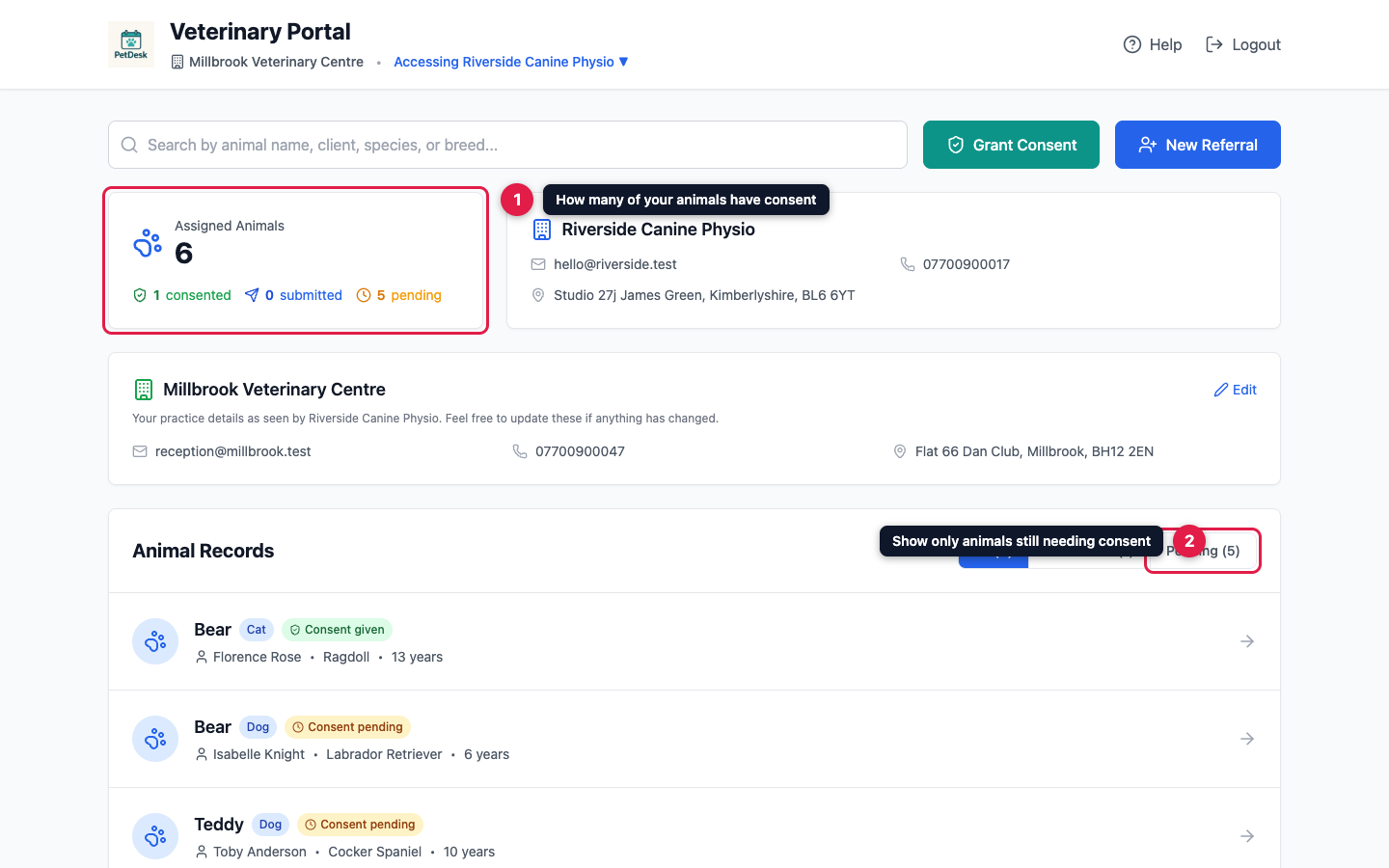
After you log in, the dashboard lists every animal the business has registered with your practice. Assigned Animals counts them, and shows how many have consent, how many you've submitted and are waiting for the business to accept, and how many still need it.
To find an animal, type in the search box at the top: it searches by animal name, owner, species and breed. The buttons above the list show All, only Consented animals, or only those still Pending. Each animal is labelled Consent given, Consent submitted or Consent pending.
2. Open an animal's record
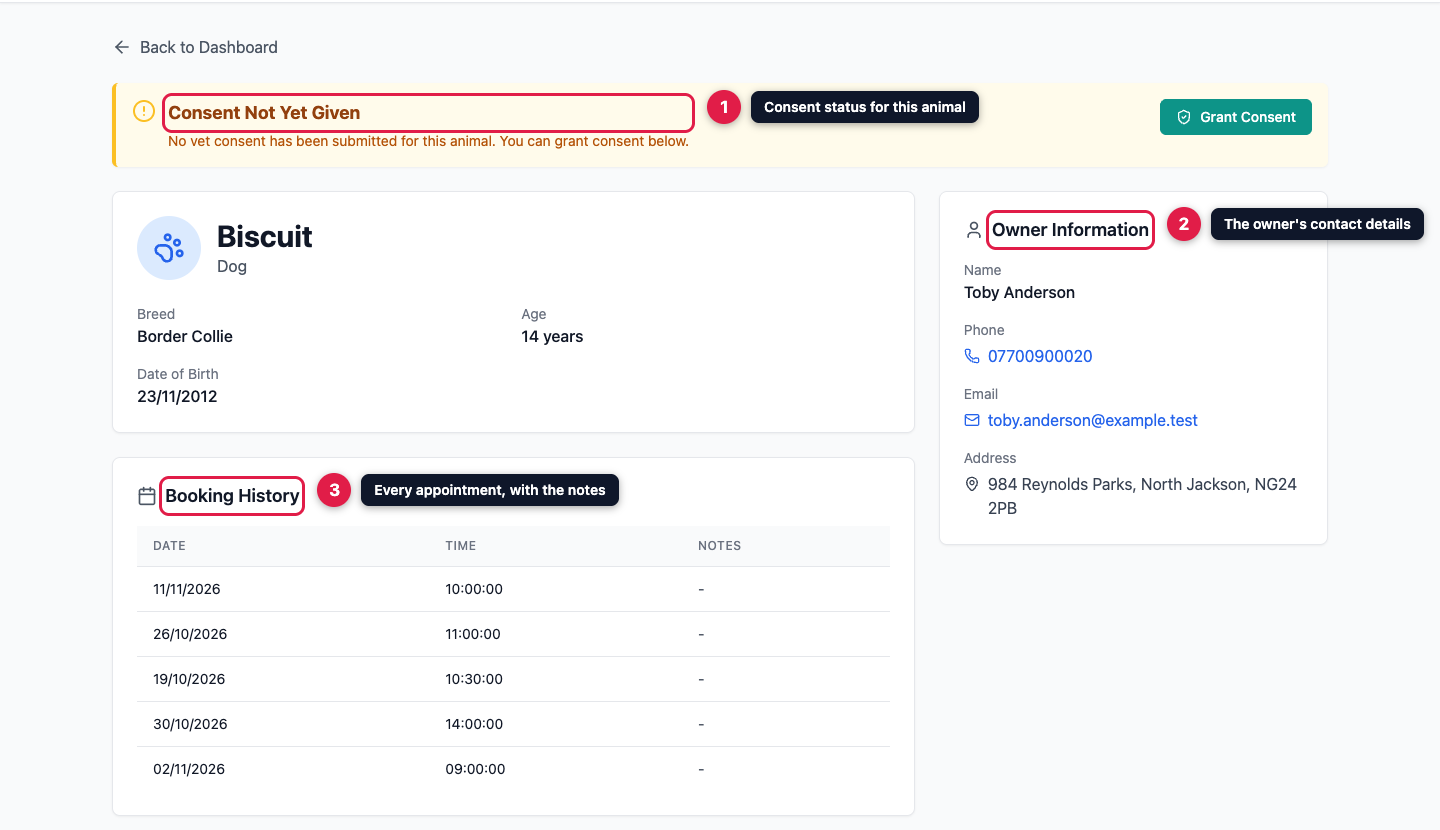
Click an animal to open its record. The banner at the top shows its consent status:
- Consent Not Yet Given: nothing has been sent. Click Grant Consent to give it.
- Consent Submitted — Awaiting Acceptance: you've sent consent and the business hasn't confirmed it yet. You don't need to do anything.
- Consent Confirmed: the business has accepted your consent.
Below that are the animal's details: breed, colour, date of birth and age, plus any notes, allergies and behaviour notes the business has recorded. Booking History lists the animal's appointments with the business, with the notes from each. On the right, Owner Information gives the owner's name, phone number, email address and address.
If the business tracks weights and has chosen to share them, a Weight Management section shows the recorded weights and the target weight, and sometimes the animal's diet or exercise plan.
Can't find an animal?
You only see the animals a business has registered with your practice on its own records. If one is missing, ask the business to set your practice as that animal's vet. If the animal is new to the business, you can refer it instead: see For vets: referring a new client.