
Reading your analytics
Analytics shows the shape of the business rather than answering a specific question. Set the period first — Today, This Week, This Month, This Year or a custom range — because everything follows it. Popular Services is the most actionable panel: it tells you what people actually come to you for. Revenue counts only bookings marked complete.
Where the Reports page answers specific questions — what did we take last month, who hasn't paid — Analytics gives you the shape of the business at a glance. It's under Reports, and it's available to administrators on a paid plan.
Pick a period first
The dropdown at the top offers Today, This Week, This Month, This Year and a Custom Range. Everything on the page follows it, so it's the first thing to set — a quiet-looking page is often just a period with nothing in it yet.
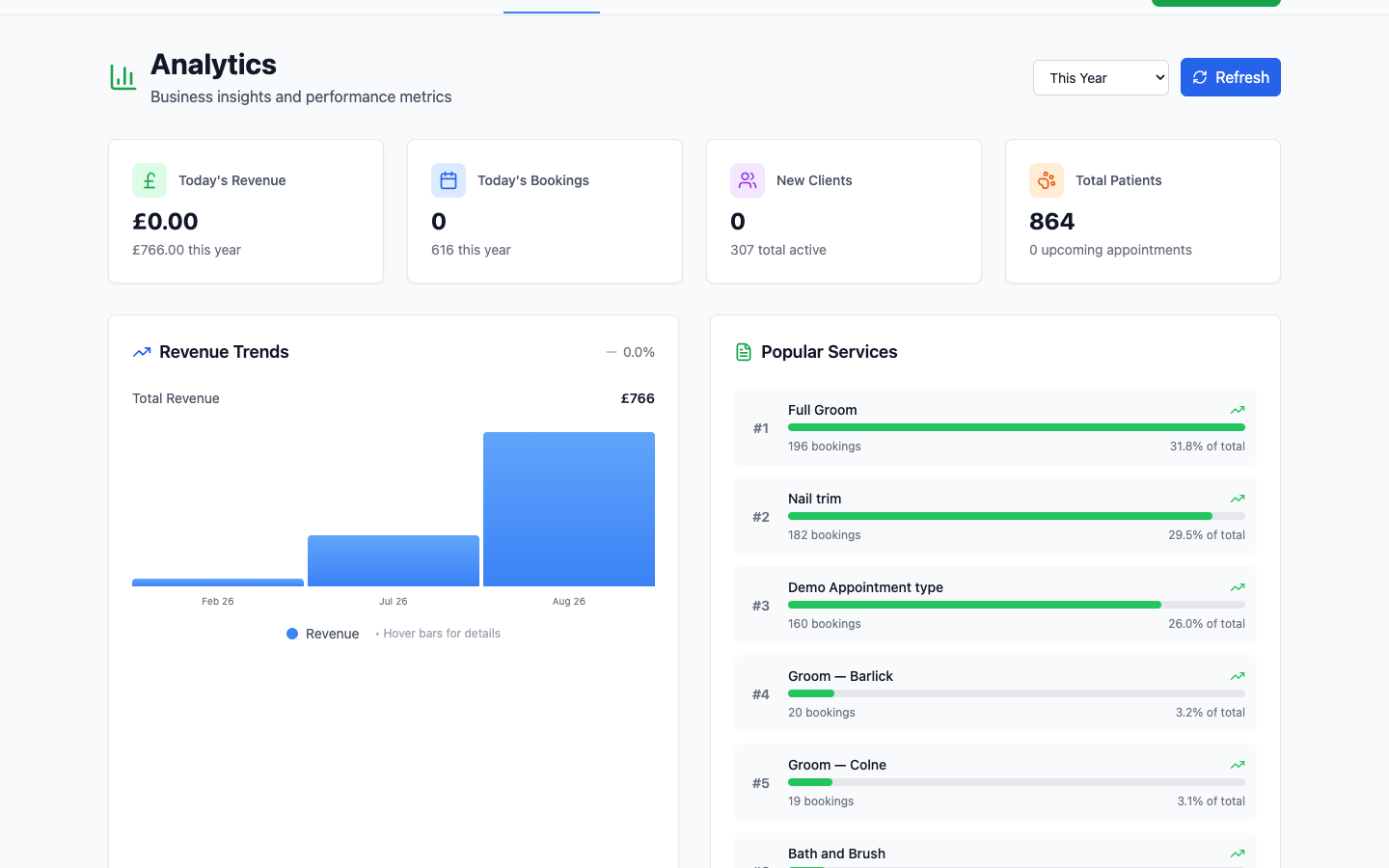
The four headline figures
- Revenue — taken in the chosen period, with today's figure underneath.
- Bookings — appointments in the chosen period, not counting cancelled ones, with today's count underneath.
- New Clients — customers added in the chosen period, how many of them have made a booking, and how many clients you have in total. Customers who sign up online but never book show up here.
- Total Patients — animals on your books, with upcoming appointments underneath.
The small green or red arrow next to a figure is the change against an earlier period, and the line underneath says which. Revenue is compared to the same point last time: the 1st to the 29th of this month against the 1st to the 29th of last month. Bookings are compared with the whole of the previous period, because they include appointments still to come. Look at the trend over a month before drawing conclusions.
Revenue Trends
A bar per period with your total alongside. Hover a bar for the detail. This is the chart worth looking at monthly — it shows seasonality you'd never notice from the diary, and most practices have more of it than they expect.
Popular Services
Your services ranked by how often they were booked, with a count and a share of the total against each.
This is the most actionable panel on the page. It tells you what people actually come to you for — which is what your website should lead with, and what's worth staffing for. The service at the bottom of the list is worth a question: is it priced wrong, or just not something anyone wants?
Analytics counts completed work
Revenue here comes from bookings that have actually happened and been marked complete. A busy-looking diary with nothing marked off produces a flat chart — if the numbers look wrong, that's the first thing to check.