I charge by the hour, not per pet: what's best?
Make a service priced at £0 and hidden from the customer portal, then book every animal into one visit by ticking them under Other animals on this booking. When you finish, add a custom item to the first animal's booking (the one marked bill) naming the hours and what they come to, then Mark Complete. The visit is charged once, and every animal keeps the visit in its own history.
Some jobs are charged for your time, not per animal. A breeder visit where you groom every cat in the cattery and charge by the hour is a good example. You still want each cat on record, so that its history, notes and health stay with the right animal. The answer is a service that costs nothing per animal, with every cat booked into one visit, and the hours added as a single charge once you know how long it took.
1. Make a service with a price of £0
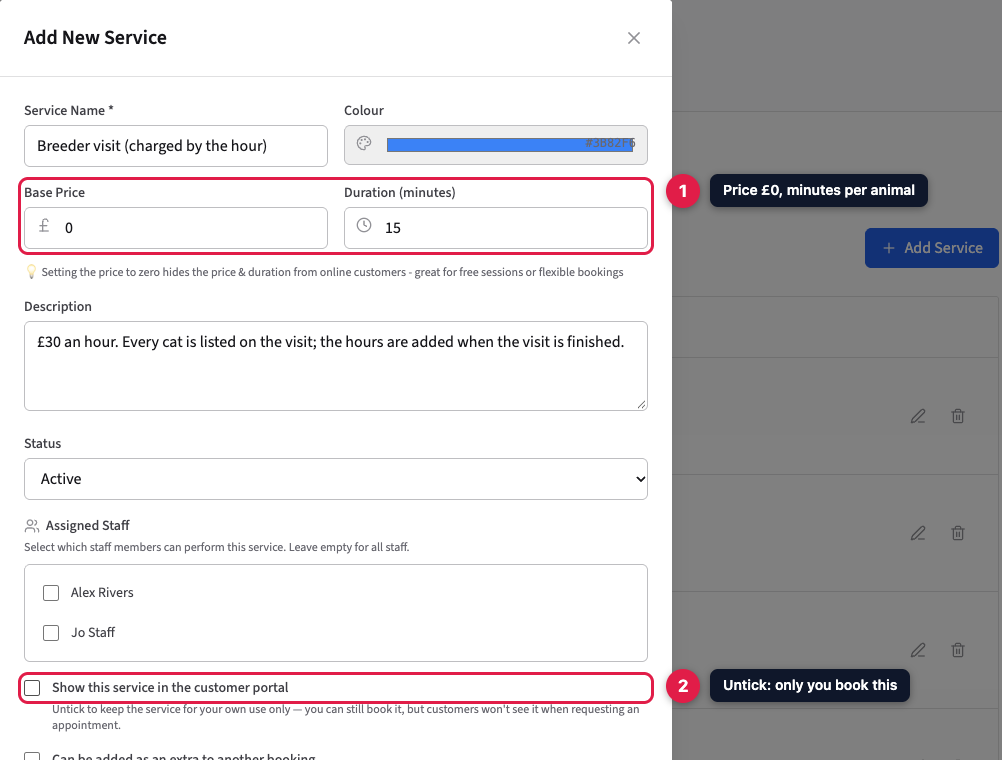
Go to Settings → Services and click Add Service. Give it a name that says how it's charged, such as “Breeder visit (charged by the hour)”, and set the Base Price to 0. The Duration is how long each animal blocks out in the diary, so pick a typical time per animal: with 15 minutes, eight cats block out two hours.
Untick Show this service in the customer portal so only you can book it. Customers can't request it online, and won't see a £0 price.
2. Book every animal into one visit
Make a booking for any one of the customer's animals and choose the new service. Under Other animals on this booking, tick every other animal that's being done that day. Each one comes in at the service's minutes and £0, so there's nothing to change. The blue summary underneath shows the number of animals, the total time, and £0.00, because the charge is added at the end.
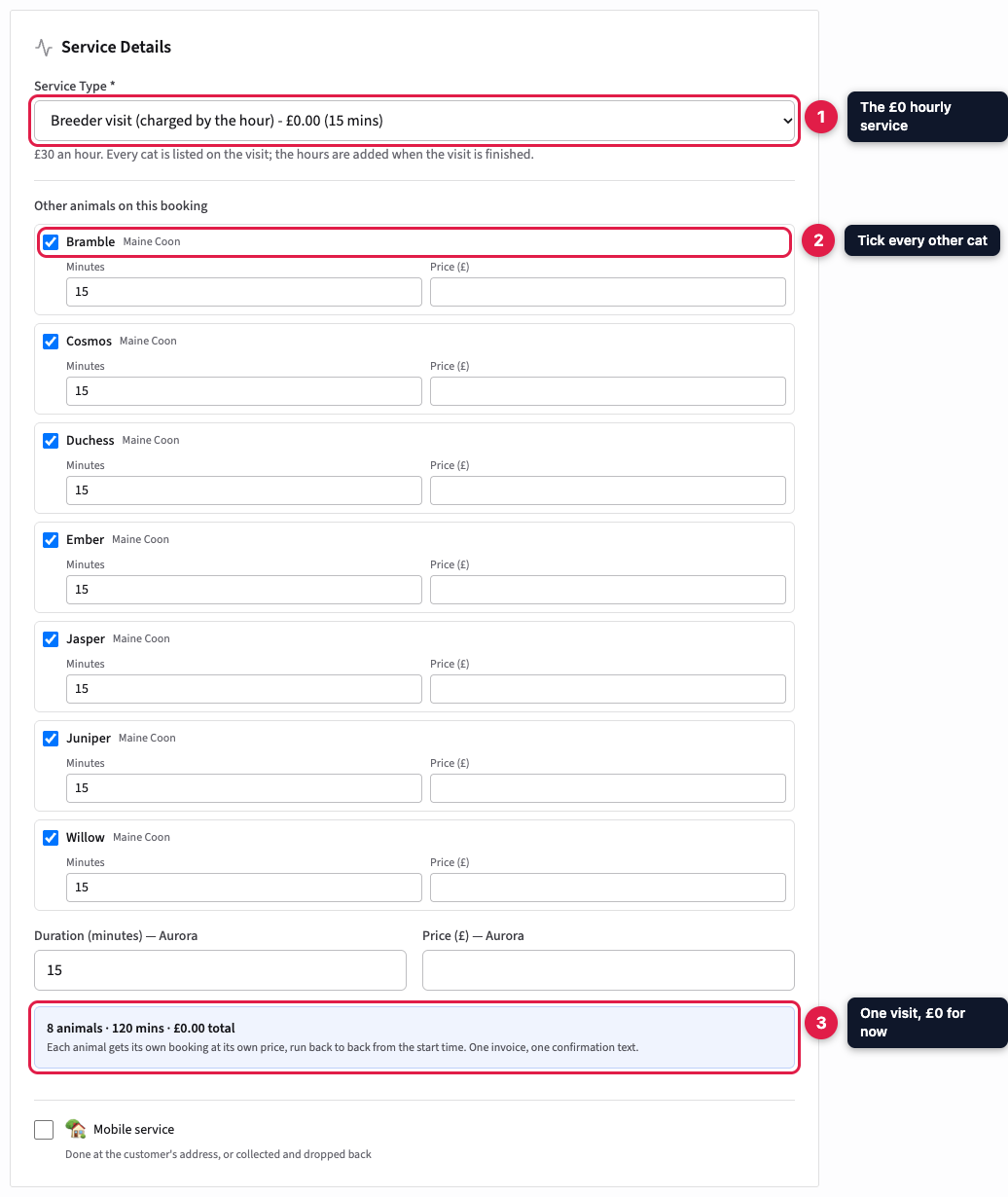
PetDesk creates a booking for each animal, back to back from the start time, linked together as one visit. It sends one confirmation for the whole visit, not one per animal.
3. Add the hours when you've finished
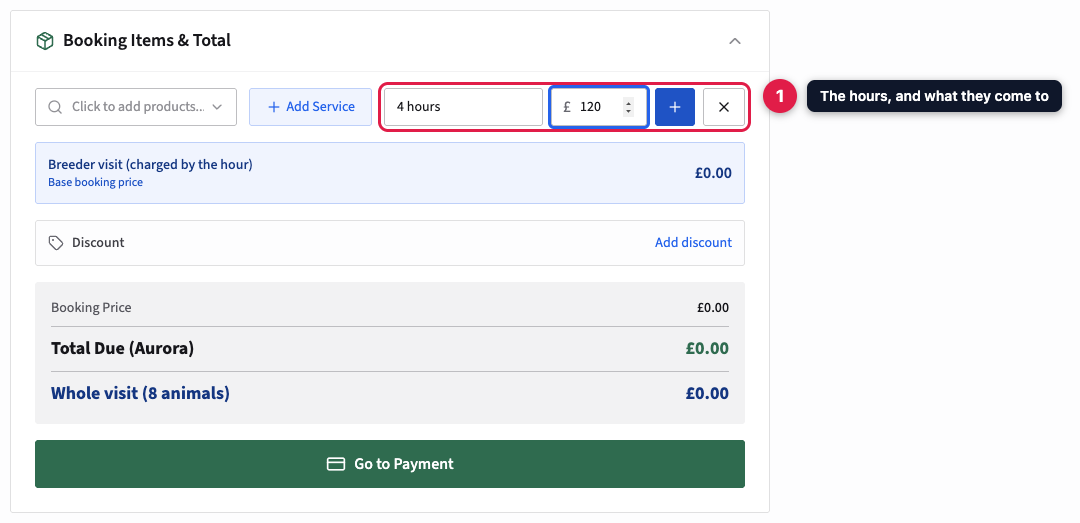
Open the visit and go to the first animal, the one whose tab is marked · bill; that's where the money for the visit is handled. In Booking Items & Total, click Add Custom Item, type the time as the name (for example “4 hours”), type what it comes to as the price, and press the plus button.
Prefer a line per hour? Add a custom item called “Grooming time (per hour)” at your hourly rate, then use the plus beside its quantity to make it 4. The invoice then shows 4 × £30. For part of an hour, type the total as the price instead.
4. Check the visit total
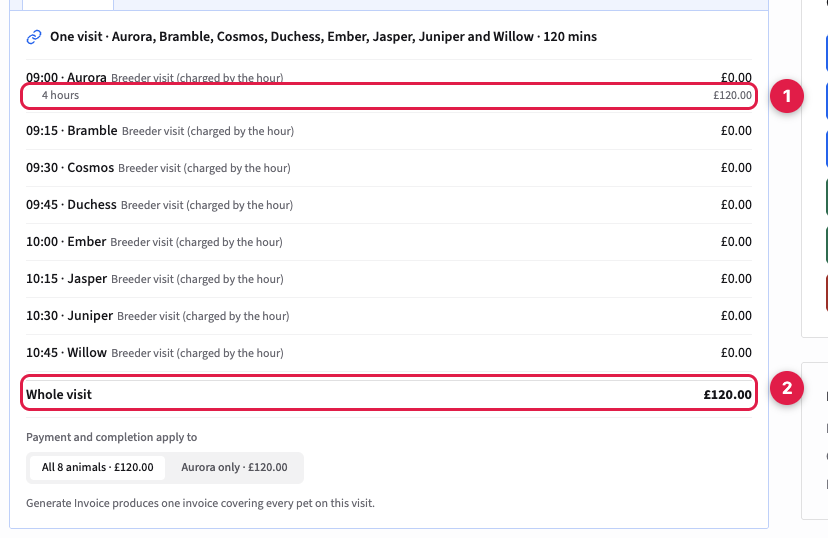
The visit panel at the top of the page now shows the hours under the first animal (1) and the full amount as the Whole visit total (2). Every other animal stays at £0.00. Generate Invoice produces one invoice listing every animal, with the hours and one total.
5. Mark it complete
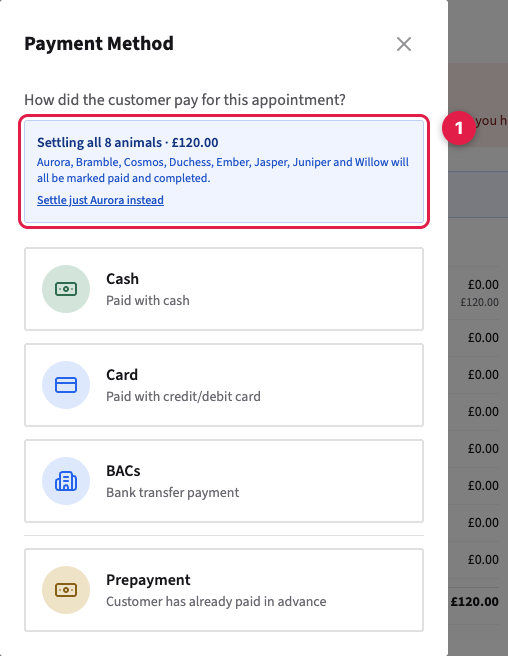
Click Mark Complete (Paid) and choose how you were paid. The box at the top confirms you're settling every animal on the visit for the total, so one click completes all of them.
Add the hours before you complete. Once a booking is completed you can no longer add items to it. If you completed it too soon, click Mark Unpaid, add the hours, then complete it again.
6. Every animal keeps its own record
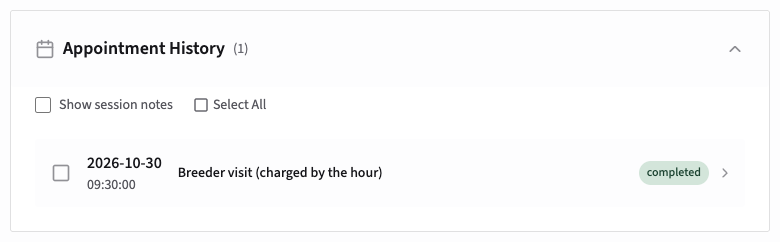
Each animal now has the visit in its own Appointment History. Anything about one animal belongs on its own booking, which you reach from its tab on the visit panel: session notes, weights, anything you noticed. You don't need a placeholder animal called “All cats”, and nothing has to be copied across by hand.
Good to know
- Booking the next visit is quicker. Copy Booking copies the whole visit with every animal on it. The hours aren't copied, so the new visit starts at £0 again, ready for the next time.
- Reminders name every animal. One reminder goes out for the visit, but with fifteen cats it lists fifteen names. If you'd rather not send one, tick Never send reminders about this service type on the service.
- Each animal counts as a booking. Reports count every animal on the visit, and on the free plan each one counts towards the monthly booking allowance.
- Not on the visit this time? If an animal isn't being done, leave it unticked, or cancel just that animal from its tab. The others stay as they are.